Streamline Your E-Commerce: The 2026 Online Shop Planner Canva Template
A Comprehensive System for Modern Digital Sellers
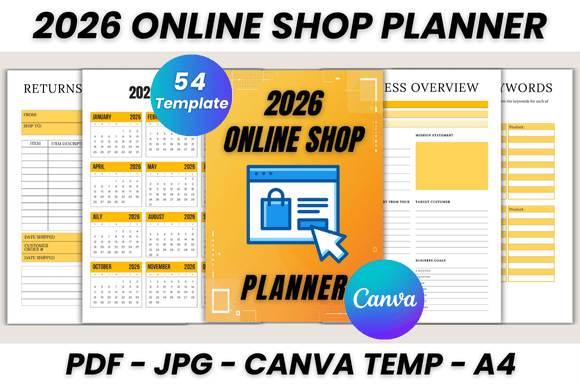
Running an online store involves a complex web of tasks, from inventory management and marketing to financial tracking and customer service. The 2026 Online Shop Planner Canva Template is designed to bring order to this chaos. This is not just a simple calendar; it's a robust, 54-page organizational hub built directly inside Canva. It provides a centralized location for every aspect of your business operations, allowing you to move seamlessly between strategic planning and daily execution without switching between multiple apps or physical notebooks. The visual design is clean, professional, and intuitive, using a structured layout that prioritizes clarity and ease of use, ensuring that your business data is always accessible and visually organized.
Key Features and Operational Pages
The true value of this planner lies in its depth and specificity. It moves far beyond generic planning to address the real-world needs of e-commerce entrepreneurs. The template includes a full 2026 calendar and monthly planners from January to December, but its core strength is in the specialized business pages.
- Foundation & Strategy: Start with the Belongs To page, then define your core with sections for Business Overview, Shop Branding, Value Proposition, and Shop Policies. Use the SWOT Analysis and Competitor Analysis pages to ground your strategy in market realities.
- Product & Inventory Management: Keep your offerings organized with dedicated pages for Shop Inventory, Shop Supplies, Product Keywords, Product Tags, and a New Product Planner. The Product Updates page helps you track iterations and improvements.
- Sales & Financial Tracking: Maintain a clear financial picture with pages for Income At A Glance, Order Tracker, Order Form, Expense & Fees, Sales Tax Tracker, and dedicated Income, Expenses, and Bill Trackers. The Shipping Log and Purchase Tracker ensure logistical details are recorded.
- Marketing & Growth: Plan your outreach with the Advertising Tracker, Campaign Tracker, Email Marketing, and Social Media Tracker. The Sales Tracker and Monthly Stats provide the data needed to measure what's working.
- Customer Service & Operations: Handle post-sale processes professionally with Returns & Exchange and Return Tracker pages. Support your daily workflow with a Contact List, Password Tracker, To Do List, Checklist, and ample Notes space.
Practical Application and Customization in Canva
One of the greatest advantages of this digital planner is its flexibility. Because it is a Canva template, you are not locked into a static document. You can easily edit every element to match your brand identity. Change colors, fonts, and layouts with a few clicks to create a planner that feels uniquely yours. This is particularly useful for maintaining consistency across all your design assets, from your shop graphics to your internal planning tools.
The template functions as a premium font for your business data—organizing information with a clear visual hierarchy that enhances readability. Think of the headings as a bold display font guiding your eye, while the data entry fields act like a clean sans serif font, ensuring every number and note is legible. This thoughtful modern typography approach within the template itself reduces cognitive load, making it easier to process complex information quickly.
Who Benefits from This Digital Planner?
This tool is ideal for the independent entrepreneur wearing many hats. If you are a designer selling prints, a crafter on Etsy, a small business owner managing a Shopify store, or a content creator launching merchandise, this planner consolidates your scattered notes and spreadsheets. It's for the marketer who needs to track campaign performance alongside inventory, and the publisher who must coordinate product launches with social media schedules. The 2026 Online Shop Planner Canva Template acts as a central nervous system for your business, promoting consistency, professionalism, and strategic clarity. By using this system, you free up mental space to focus on what you do best: creating products and serving your customers.
Getting Started with Your Planner
Accessing and using the template is straightforward. You will need a free Canva account to edit the files. Upon purchase, you receive a link that adds the entire 54-page template directly to your Canva account. From there, you can duplicate pages, rearrange sections, and customize everything to your heart's content. It’s a practical, no-nonsense solution for bringing structure to the beautiful chaos of running an online shop. Invest a little time setting it up at the start of 2026, and you'll have a reliable framework to guide your business decisions all year long.