Transform Your Designs with Custom Alphabet Frames
There is a distinct shift happening in digital design right now. We are moving away from rigid, static typography toward something more tactile and organic. If you have been scrolling through Pinterest or Instagram lately, you have likely noticed the rise of the "grilled" or textured word trend—letters that look like they are made of fabric, concrete, neon tubing, or hand-painted strokes. Creating this effect from scratch used to require advanced masking skills in Photoshop or expensive 3D software. However, with the Letters Custom Alphabet Canva Frame, this high-end look is now accessible to anyone with a free Canva account.
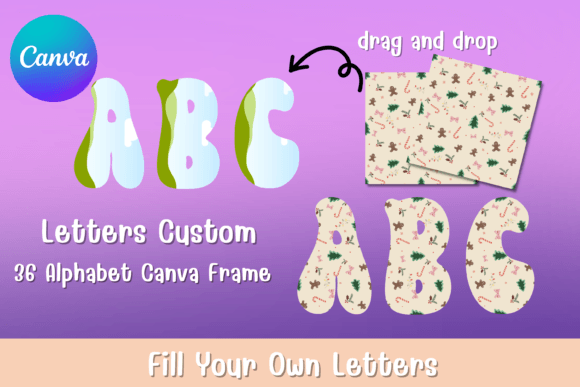
At its core, this asset is a sophisticated collection of vector letterforms designed specifically to act as containers. Think of them not as standard text you type, but as empty vessels waiting for your creativity. The visual personality of these frames is bold, architectural, and unapologetically modern. They are built with sharp edges, intentional curves, and substantial "weight," meaning they take up significant visual real estate on the canvas. This is not a background font; it is a display font meant to anchor your entire layout. The style leans heavily into modern typography trends where the letter itself becomes the art, rather than just a vehicle for the message.
The "Drag and Drop" Workflow: How It Works
The genius of the Letters Custom Alphabet Canva Frame lies in its simplicity. Once you download the package, you receive a PDF containing direct links. You do not need to install software or unzip complex folders. You simply click the link, and the template loads directly into your Canva workspace—ready for both free and pro versions.
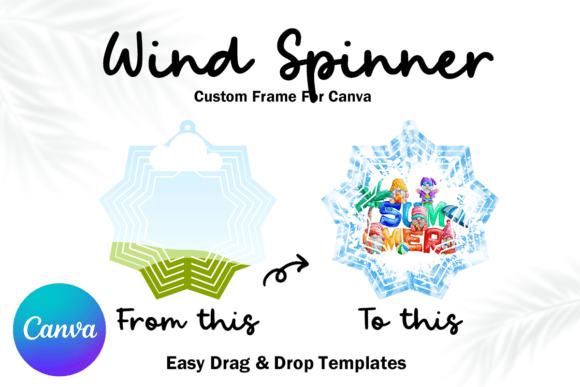
The process is intuitive. You upload your chosen assets to the "Uploads" tab. This could be a high-resolution photo of a sunset, a complex floral pattern, a video of a bustling city street, or a solid brand color. You then drag that file and drop it directly onto the letter frame. Canva’s auto-masking technology snaps the image into the shape of the letter. You can double-click to reposition the focal point of the image within the letter. This workflow democratizes complex design techniques, allowing entrepreneurs and hobbyists to create premium font effects without the premium learning curve.
Strategic Applications for Branding and Marketing
For the entrepreneur or marketer, these frames are more than just decoration; they are tools for visual hierarchy and brand identity. Because the Letters Custom Alphabet Canva Frame commands attention, it is perfect for specific use cases where you need to stop a user from scrolling.
Digital Presence and Social Media
On platforms like Instagram, TikTok, or LinkedIn, the "hero image" is everything. Using these frames allows you to create social media graphics that look custom-coded. Imagine spelling out "SALE" where the letters are filled with close-ups of your product texture—leather, cotton, or food. This approach elevates a standard announcement into a piece of web design art. It creates immediate engagement because the eye is naturally drawn to the interplay of the letter shape and the internal texture.
Publishing and Editorial Design
If you are a blogger or publisher, think about your featured images. A standard stock photo is forgettable. However, a magazine-style cover using the first letter of your headline filled with a thematic image establishes authority. This is where editorial design meets Canva. It bridges the gap between amateur blogging and professional publishing. You can use these frames for pull quotes, chapter headings in a digital PDF, or the title card of a YouTube video.
Packaging and Physical Products
For those in packaging design, these frames offer a way to mock up concepts quickly. If you are creating a sticker for a laptop, a label for a jar, or a tote bag design, filling the letters with a texture that matches the physical product (like a burlap texture for an organic brand) helps customers visualize the final product. It adds a layer of tactile realism to digital mockups.
Design Principles: Readability and Pairing
While the Letters Custom Alphabet Canva Frame is a powerful creative font, it requires a strategic approach to typography. Because the frames are filled with varying images, readability can fluctuate. A high-contrast image inside a letter can make the shape harder to discern if the background is too busy.
Practical Tip: Always test your frames against a clean background. If your letters are filled with a chaotic video or a detailed photo, place them on a solid, neutral color background to ensure the silhouette pops. This maintains the visual hierarchy—the eye sees the word first, then the texture.
Regarding font pairing, treat these frames as your "loud" partner. They do the heavy lifting for the headline. Consequently, your supporting text needs to be calm and legible. Avoid pairing these frames with other script fonts, handwritten fonts, or ornate serif fonts. Instead, pair them with a clean, geometric sans serif font. The simplicity of the sans-serif text will ground the design and ensure your message is actually read. This contrast is essential for maintaining professionalism in your layout.
Evaluating Fit and Commercial Use
When deciding if this asset fits your project, consider your brand's personality. The Letters Custom Alphabet Canva Frame leans toward modern, bold, and expressive aesthetics. If your brand identity is strictly minimal, corporate, and traditional, these frames might feel out of place unless used very sparingly. However, for brands that want to appear energetic, creative, or edgy, they are invaluable.
For small business owners and designers, the commercial licensing is a critical component. These assets are often used for commercial font applications—meaning you are selling the end product. Always review the specific license included in your download to ensure you can use the designs for client work or merchandise.
Ultimately, these Canva frames are design assets that bridge the gap between idea and execution. They allow you to inject personality into your logo design concepts, create viral-worthy content, and maintain a consistent, high-quality aesthetic across all your digital platforms. By leveraging the drag-and-drop nature of Canva combined with the structural integrity of these frames, you can transform standard text into a visual experience. Whether you are a crafter making a birthday banner or a marketer launching a global campaign, the ability to customize the interior of every letter gives you total control over your visual storytelling.